

Building a CRUD API with FastAPI
From an In-Memory Prototype to a Working Backend
Introduction
When building a backend application, it can be useful to start with the simplest working version before introducing databases, authentication, and more complex architecture. In this tutorial, I begin with an in-memory FastAPI application to implement basic CRUD operations. This makes it easier to understand the request-response cycle, Pydantic models, path parameters, HTTP status codes, and error handling before moving on to persistent storage such as PostgreSQL. In that regard this is part of the series and it focuses on explaining how i am building the first version of that API step by step. By the end, the API will support:
POST /assessments
GET /assessments
GET /assessments/{assessment_id}
PATCH /assessments/{assessment_id}
DELETE /assessments/{assessment_id}
The data will initially be stored in a Python list.
1. Create the FastAPI application
Start by importing FastAPI and creating an application instance.
from fastapi import FastAPI
app = FastAPI()
The app object represents the FastAPI application.
FastAPI uses Python decorators to connect HTTP requests to Python functions.
For example:
@app.get("/health")
async def health_check():
return {"status": "OK"}
Here:
@app.get("/health")
means:
When the server receives a GET request for /health, run the function below it.
We can make the health endpoint slightly more descriptive:
@app.get("/health")
async def health_check():
return {
"status": "OK",
"service": "Responsibility Lens API"
}
If the application is running correctly, visiting:
GET /health
returns:
{
"status": "OK",
"service": "Responsibility Lens API"
}
This gives a simple way to confirm that the API is available.
2. Create temporary in-memory storage
The second step is that before adding a database, I used a Python list:
assessments = []
Each assessment created by the API will be stored in this list.
Hypothetically from :
Please note that the phrase "move to", was used figuratively.
HTTP request
"move to"
FastAPI route
"move to"
Python logic
"move to"
assessments list
"move to"
HTTP response
This is useful for learning and early prototyping, but it has an important limitation: The data disappears whenever the application restarts, which means that every time you run the process you must be aware of that limitation. Later, this list will be replaced with PostgreSQL to rework that , denoting the significance of adding PostgreSQL.
3. Define the request model with Pydantic
The third step is to define an assessment that needs three pieces of information:
system_name
organisation
description
Instead of accepting arbitrary JSON, FastAPI can use a Pydantic model to define the expected request structure.
from pydantic import BaseModel
Then create the model:
class AssessmentCreate(BaseModel):
system_name: str
organisation: str
description: str
Now FastAPI expects a request such as:
{
"system_name": "AI Credit Review System",
"organisation": "Example Bank",
"description": "An AI-assisted system used to support credit decisions."
}
If required fields are missing or contain the wrong data type, FastAPI automatically rejects the request. This is one of the reasons Pydantic is useful in FastAPI applications: it creates a clear contract between the client and the backend.
4. Create an assessment
The forth step is to create an assesment and by that we create the first POST endpoint.
@app.post("/assessments")
async def create_assessment(assessment: AssessmentCreate):
assessment_data = assessment.model_dump()
assessment_data["id"] = len(assessments) + 1
assessments.append(assessment_data)
return assessment_data
There are several things happening here.
Receiving the request assessment:
AssessmentCreate tells FastAPI: Parse the incoming request body using the AssessmentCreate model.
So FastAPI first validates the JSON before our function runs.
4b.Converting the Pydantic object
The validated JSON object from FastAPi is a Pydantic model. To turn it into a normal Python dictionary we can use the model_dump() method:
assessment_data = assessment.model_dump()
For example:
AssessmentCreate(
system_name="AI Credit Review System",
organisation="Example Bank",
description="AI-assisted credit review."
)
becomes approximately:
{
"system_name": "AI Credit Review System",
"organisation": "Example Bank",
"description": "AI-assisted credit review."
}
4c. Creating an ID
For the next step because I am still working with the prototype, and yet to have add a database yet, I generated a simple identifier:
assessment_data["id"] = len(assessments) + 1
If the list is empty:
len(assessments) = 0
the first record receives:
id = 1
This is sufficient for the prototype, although it is important to note that with a real database, persistent identifiers should be generated.
4d. Saving the assessment
The record is then added to the list:
assessments.append(assessment_data)
and returned to the client: return assessment_data
5.Return the correct HTTP status code
The next step is to create a resource that should normally return:
201 Created rather than the default: 200 OK
This is becuase FastAPI provides HTTP status constants:
from fastapi import status
We can then update the route:
@app.post(
"/assessments",
status_code=status.HTTP_201_CREATED
async def create_assessment(assessment: AssessmentCreate):
assessment_data = assessment.model_dump()
assessment_data["id"] = len(assessments) + 1
assessments.append(assessment_data)
return assessment_data
Using: status.HTTP_201_CREATED is more readable than writing: status_code=201
Both work, but the named constant communicates the meaning of the status code.
6. Retrieve all assessments
At the stage, the next endpoint returns everything stored in the list.
@app.get("/assessments")
async def assessments_list():
return assessments
If two assessments have been created, the response could look like:
[
{
"system_name": "AI Credit Review System",
"organisation": "Example Bank",
"description": "AI-assisted credit review system.",
"id": 1
},
{
"system_name": "Clinical Decision Support",
"organisation": "Example Hospital",
"description": "AI-assisted clinical recommendation system.",
"id": 2
}
]
The application flow is now:
POST /assessments
create assessment then store in list
GET /assessments
read list then return assessments
That brings an end to the Part One of Building a CRUD API with FastAPI: From an In-Memory Prototype to a Working Backend.
In this part, we set up the FastAPI application, created our assessment model, and implemented the first CRUD operations for creating and retrieving assessments. In Part Two, we’ll complete the CRUD cycle by implementing update and delete operations, while looking more closely at partial updates, path parameters, and error handling.
From an In-Memory Prototype to a Working Backend [Part 2]
In continuation of this tutorial, this second part on the tutorial,on the CRUD cycle by discussing the patch, update and delete operations. The tool in question that I built this CRUD API for, focuses on how AI-assisted systems may affect human judgment, agency, responsibility, and meaningful oversight. Instead of beginning immediately with PostgreSQL, authentication, and a large domain model, I started with an in-memory FastAPI application. This allowed me to understand the request-response cycle, Pydantic models, path parameters, HTTP status codes, and error handling before adding persistence.
In this article, I focused on:
GET /assessments/{assessment_id}
PATCH /assessments/{assessment_id}
DELETE /assessments/{assessment_id}
7. Retrieve one assessment
I begin with retrieving the individual assessment by ID. The route uses a path parameter: @app.get("/assessments/{assessment_id}")
@app.get("/assessments/{assessment_id}")
async def get_assessment(assessment_id: int):

    for assessment in assessments:

        if assessment["id"] == assessment_id:
            return assessment
This shows that FastAPI passes the value from the URL into the function. If the client requests: GET /assessments/3 , FastAPI passes: assessment_id = 3
Then we search the list above, What happens if assessment 3 does not exist? then there is a need for an error response.
8. Add 404 error handling
To address that issues if it raises we 404 error handling by importing the HTTPException and the endpoint becomes:
Import HTTPException:
from fastapi import HTTPException
@app.get("/assessments/{assessment_id}")
async def get_assessment(assessment_id: int):

    for assessment in assessments:

        if assessment["id"] == assessment_id:
            return assessment

    raise HTTPException(
        status_code=404,
        detail="Assessment not found"
    )
This is important because an API should communicate failure through both the response body and the HTTP status code.
9. Create a model for partial updates
For updates we use patch; a PATCH request means the client can update only the fields it wants to change.
For example:
{
"description": "Updated description"
}
should be valid without requiring system_name and organisation again.
So the update model makes each field optional:
class AssessmentUpdate(BaseModel):
system_name: str | None = None
organisation: str | None = None
description: str | None = None
This is different from AssessmentCreate, where all three fields are required.
Conceptually:
AssessmentCreate
----------------
system_name required
organisation required
description required
AssessmentUpdate
----------------
system_name optional
organisation optional
description optional
The PATCH route looks like this:
@app.patch("/assessments/{assessment_id}")
async def update_assessment(
    assessment_id: int,
    assessment_update: AssessmentUpdate
):
First, we only extract fields that the client actually sent:
update_data = assessment_update.model_dump(
    exclude_unset=True
)
8.The last CRUD operation is delete.
The endpoint for the delete operation looks like :
@app.delete("/assessments/{assessment_id}")
async def delete_assessment(assessment_id: int):

    for assessment in assessments:

        if assessment["id"] == assessment_id:

            assessments.remove(assessment)

            return {
                "message": "Assessment deleted successfully",
                "id": assessment_id
            }

    raise HTTPException(
        status_code=404,
        detail="Assessment not found"
    )
The endpoint searches for the requested assessment.
If it exists: assessments.remove(assessment)
removes it from the list.
If it does not exist, the API returns:
404 Not Found
10 . The complete API at this stage
In essence the complete API operations on the main.py looks like
from pydantic import BaseModel

from fastapi import (
    FastAPI,
    HTTPException,
    status
)


app = FastAPI()


assessments = []


class AssessmentCreate(BaseModel):
    system_name: str
    organisation: str
    description: str


class AssessmentUpdate(BaseModel):
    system_name: str | None = None
    organisation: str | None = None
    description: str | None = None


@app.get("/health")
async def health_check():

    return {
        "status": "OK",
        "service": "Responsibility Lens API"
    }


@app.get("/assessments")
async def assessments_list():

    return assessments


@app.post(
    "/assessments",
    status_code=status.HTTP_201_CREATED
)
async def create_assessment(
    assessment: AssessmentCreate
):

    assessment_data = assessment.model_dump()

    assessment_data["id"] = len(assessments) + 1

    assessments.append(assessment_data)

    return assessment_data


@app.get("/assessments/{assessment_id}")
async def get_assessment(
    assessment_id: int
):

    for assessment in assessments:

        if assessment["id"] == assessment_id:
            return assessment

    raise HTTPException(
        status_code=404,
        detail="Assessment not found"
    )


@app.patch("/assessments/{assessment_id}")
async def update_assessment(
    assessment_id: int,
    assessment_update: AssessmentUpdate
):

    update_data = assessment_update.model_dump(
        exclude_unset=True
    )

    for assessment in assessments:

        if assessment["id"] == assessment_id:

            assessment.update(update_data)

            return assessment

    raise HTTPException(
        status_code=404,
        detail="Assessment not found"
    )


@app.delete("/assessments/{assessment_id}")
async def delete_assessment(
    assessment_id: int
):

    for assessment in assessments:

        if assessment["id"] == assessment_id:

            assessments.remove(assessment)

            return {
                "message": "Assessment deleted successfully",
                "id": assessment_id
            }

    raise HTTPException(
        status_code=404,
        detail="Assessment not found"
    )
The last step is to test this crud operation in FAST API documentation. One of FastAPI's useful development features is automatically generated interactive documentation. With the server running, I can visit:
From there, I can test:
POST /assessments
GET /assessments
GET /assessments/{assessment_id}
PATCH /assessments/{assessment_id}
DELETE /assessments/{assessment_id}
For example, I can create:
{
"system_name": "AI Decision Support",
"organisation": "Example Organisation",
"description": "A system used to support organisational decisions."
}
and confirm that the API returns:
201 Created
I can then retrieve, update, and delete the same record.
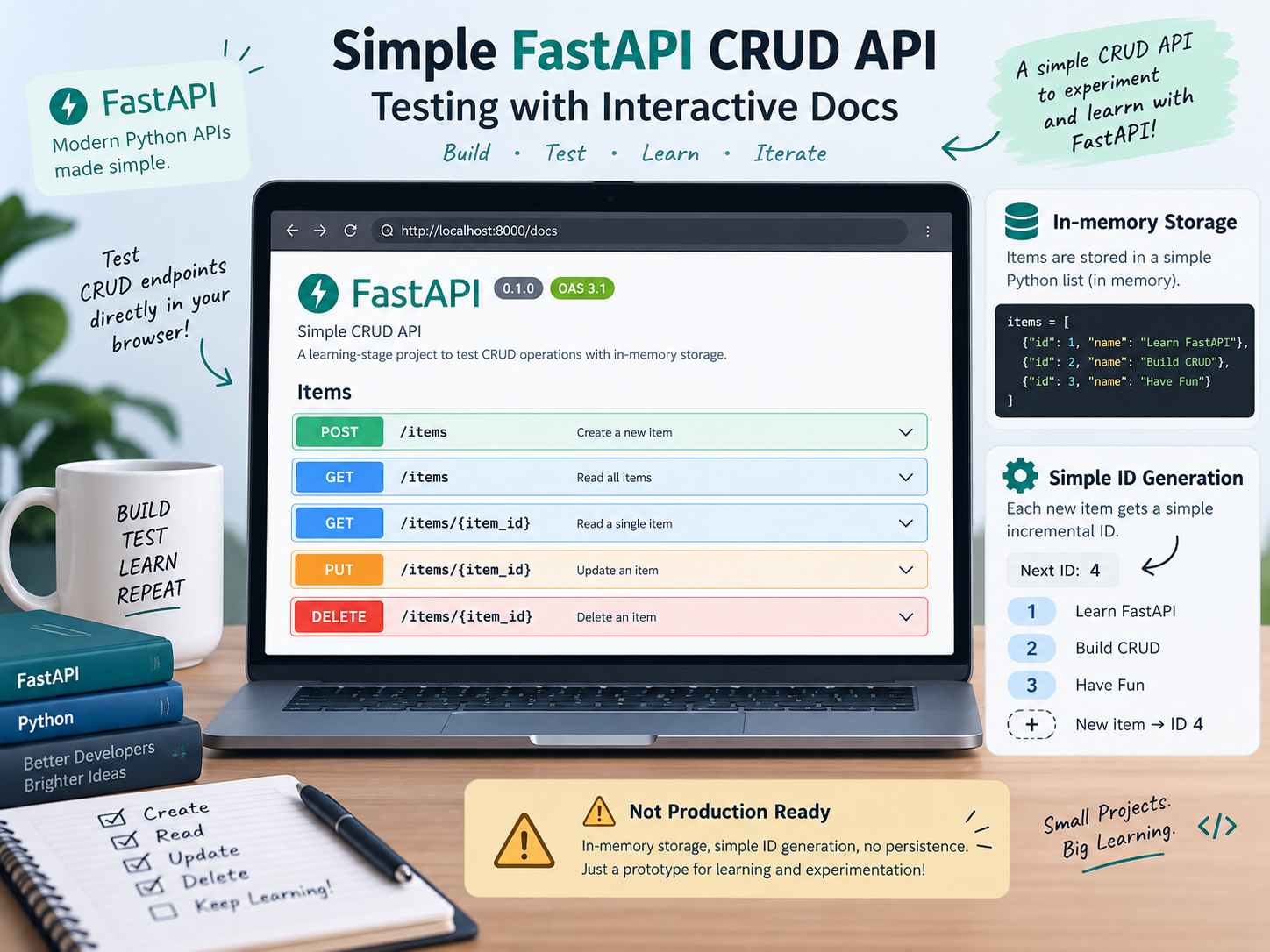
It is important to note that this stage focused on testing a simple FastAPI CRUD API using FastAPI’s interactive /docs interface, while reinforcing how requests move through routing, Pydantic validation, application logic, storage, and responses. It also clarified common HTTP status codes such as 201, 404, 422, and 500, as well as the difference between full model serialization and partial updates using exclude_unset=True. The current implementation is intentionally basic, relying on in-memory storage and simple ID generation, so it is not yet suitable for production. The next step is to strengthen request validation with Pydantic Field() constraints and examine 422 Unprocessable Entity responses in more detail.
References
FastAPI Documentation Interactive API docs and routing
Pydantic Documentation — Models, model_dump(), Field(), and validation
HTTP status code reference — for 201, 404, 422, and 500.
Project repository: View the full FastAPI implementation and follow the project’s development on GitHub: [v5-fastapi-postgresql/backend]
About the author
- Researcher, consultant and philosopher working at the intersection of research, technology including computation, AI, data and software systems, and human judgment. My current work combines years of research experience with growing expertise in backend software engineering.
Comments
Join the discussionNo comments yet. Be the first to comment.
Backend Engineering with FastAPI: From Prototype to Production
A practical series on building backend systems with Python and FastAPI, following an application from a simple in-memory prototype through validation, testing, databases, authentication, deployment, and production architecture.